Everything the academy is working on, in one place.
Know what is yours today, see where every production stands, and stop chasing people for updates. AMAU OS keeps the whole academy moving — calmly, in one place.
Invite-only. Ask an administrator for an account.
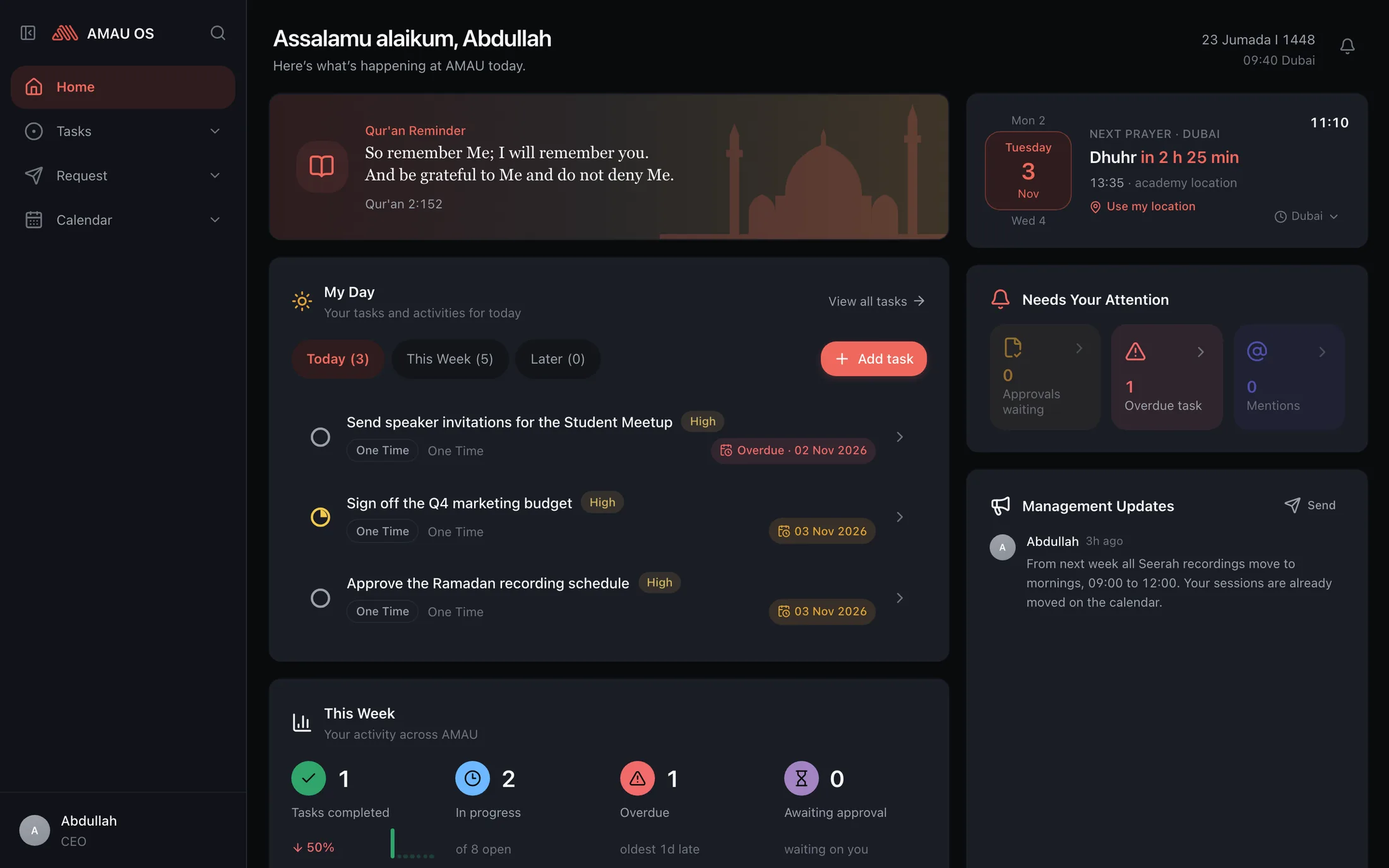
One place for all of it
- Home
- Tasks
- Productions
- Assignment rules
- Calendar
- Settings
Built for every team at AMAU — Management, Operations, Media, Content, Academics, Marketing and IT. Everyone sees exactly what they need, and nothing more.
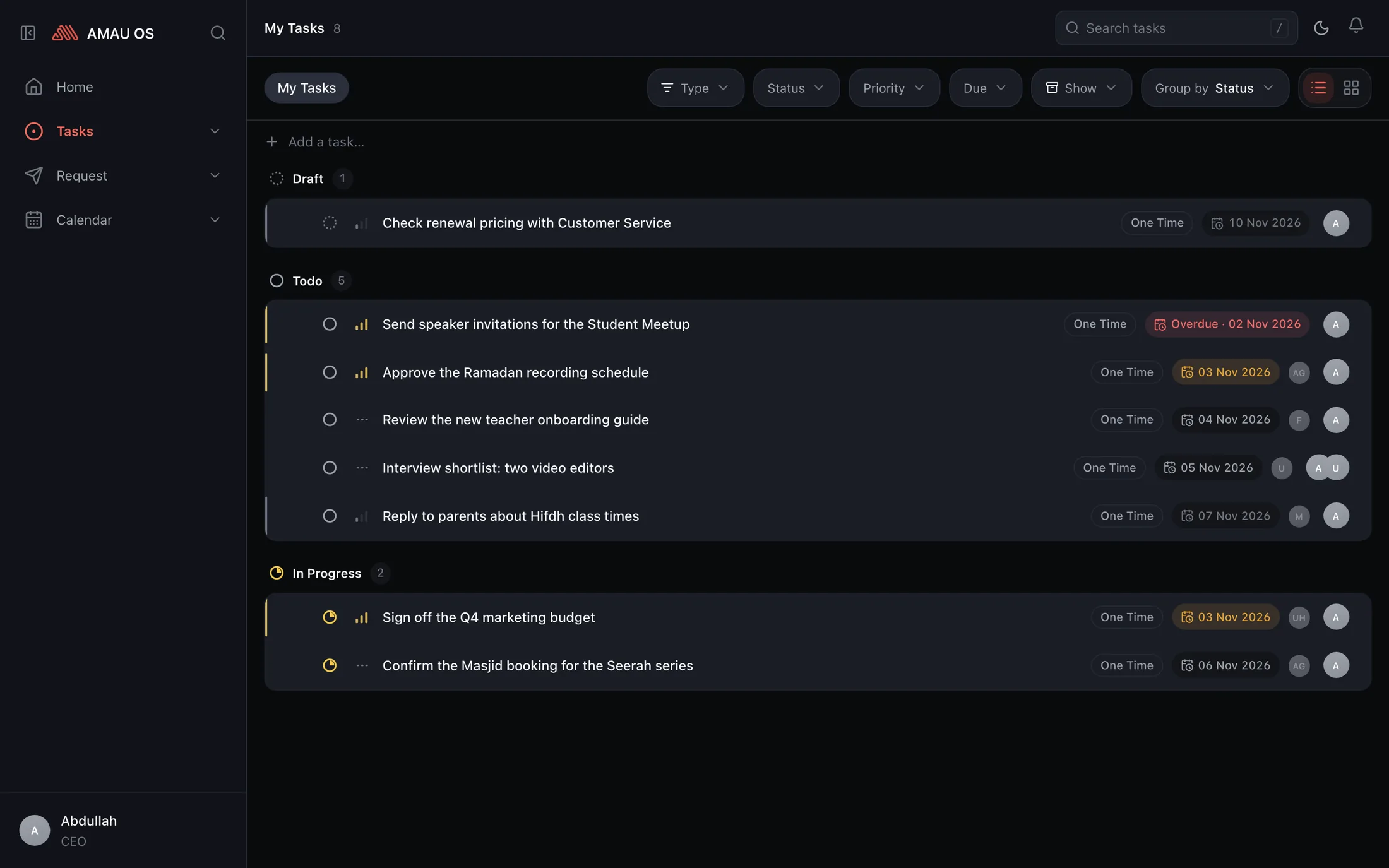
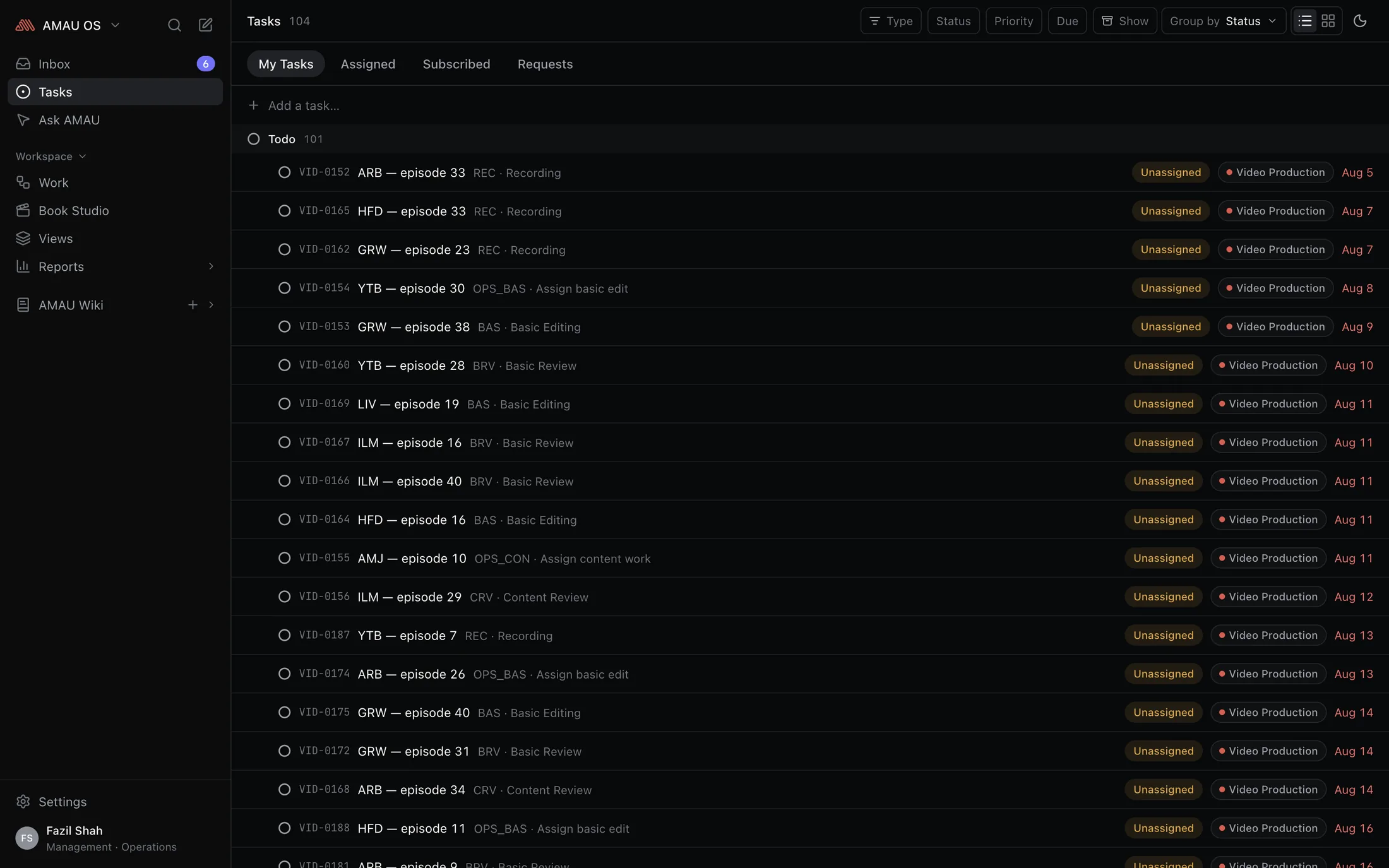
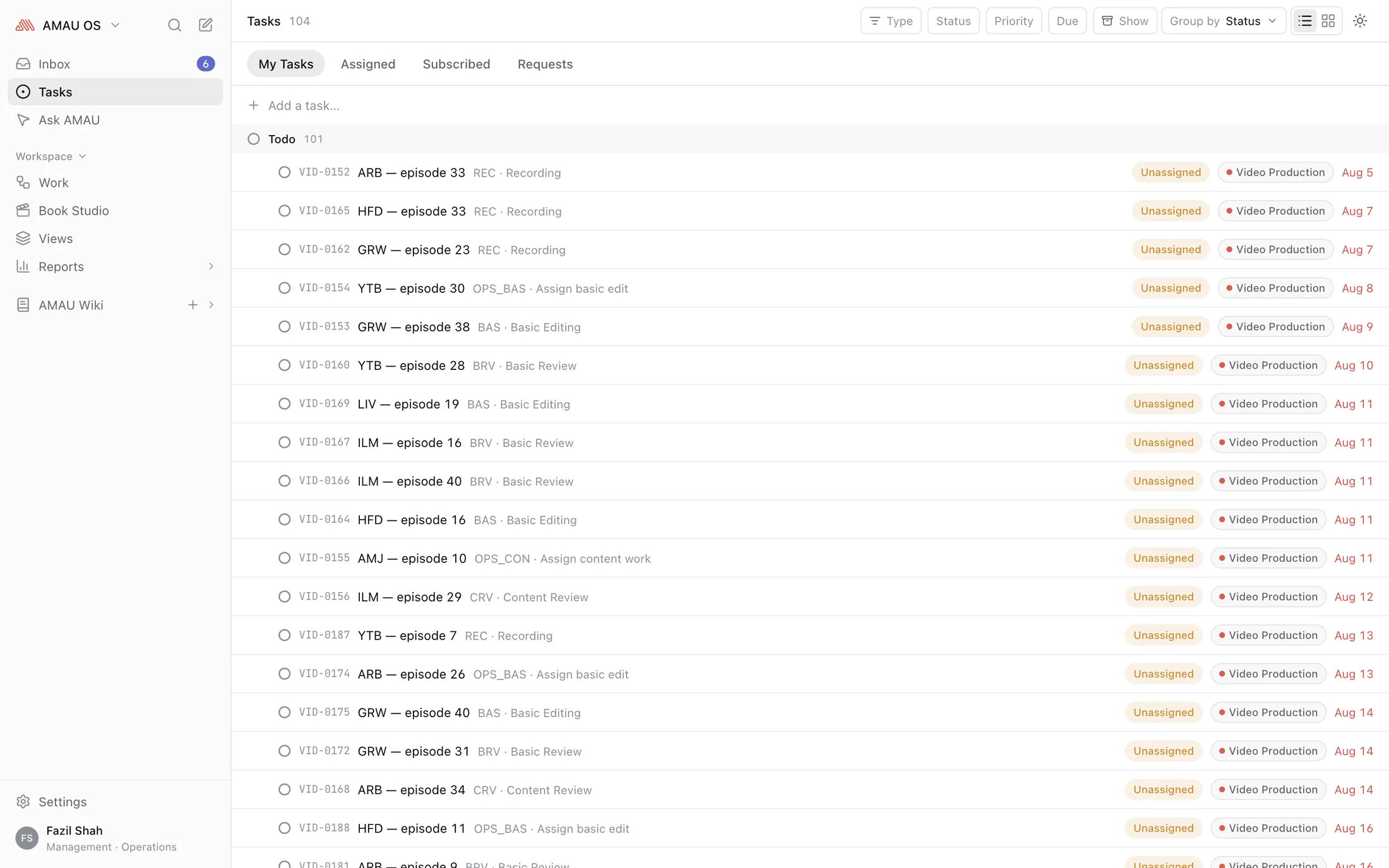
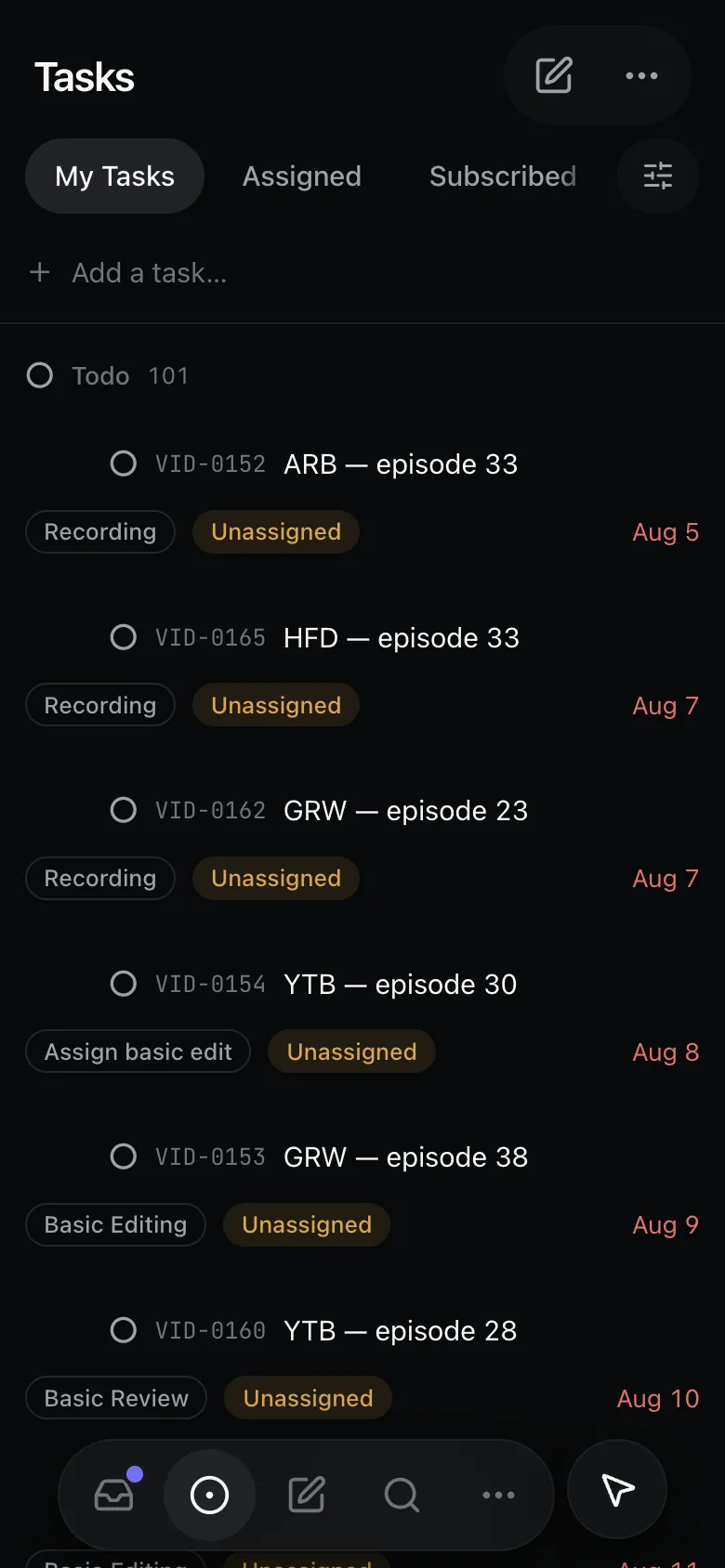
Tasks
Start every day knowing exactly what is yours.
No more digging through chats, spreadsheets and old messages. Everything you need to do is on one list, with the most urgent at the top — so your time goes into the work, not into finding it.
- See what is late and what is next, at a glance.
- Share a job with everyone working on it, so the whole team owns it together.
- Set up weekly jobs once, and never forget them again.
- Hand work to a colleague cleanly — nothing falls through the cracks.
Productions
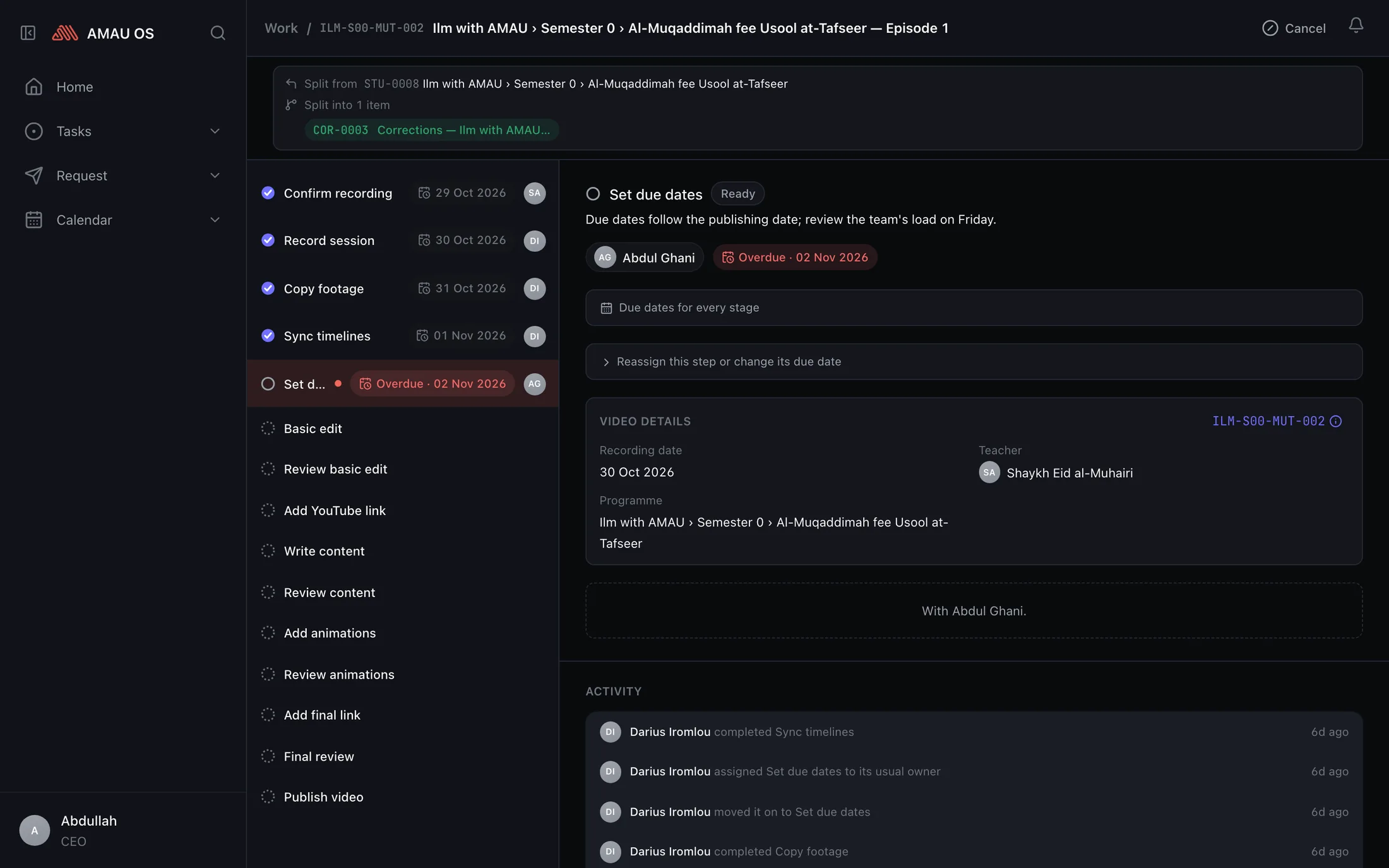
Productions that move themselves forward.
From recording to publishing, every video passes through many hands. AMAU OS passes it along for you, so each person knows the moment it is their turn — and nobody has to chase anybody.
- No more “is it my turn yet?” messages.
- Everyone has the details they need, right where they work.
- Deadlines the team has actually agreed to.
- See exactly where any video stands, any time.
Assignment rules
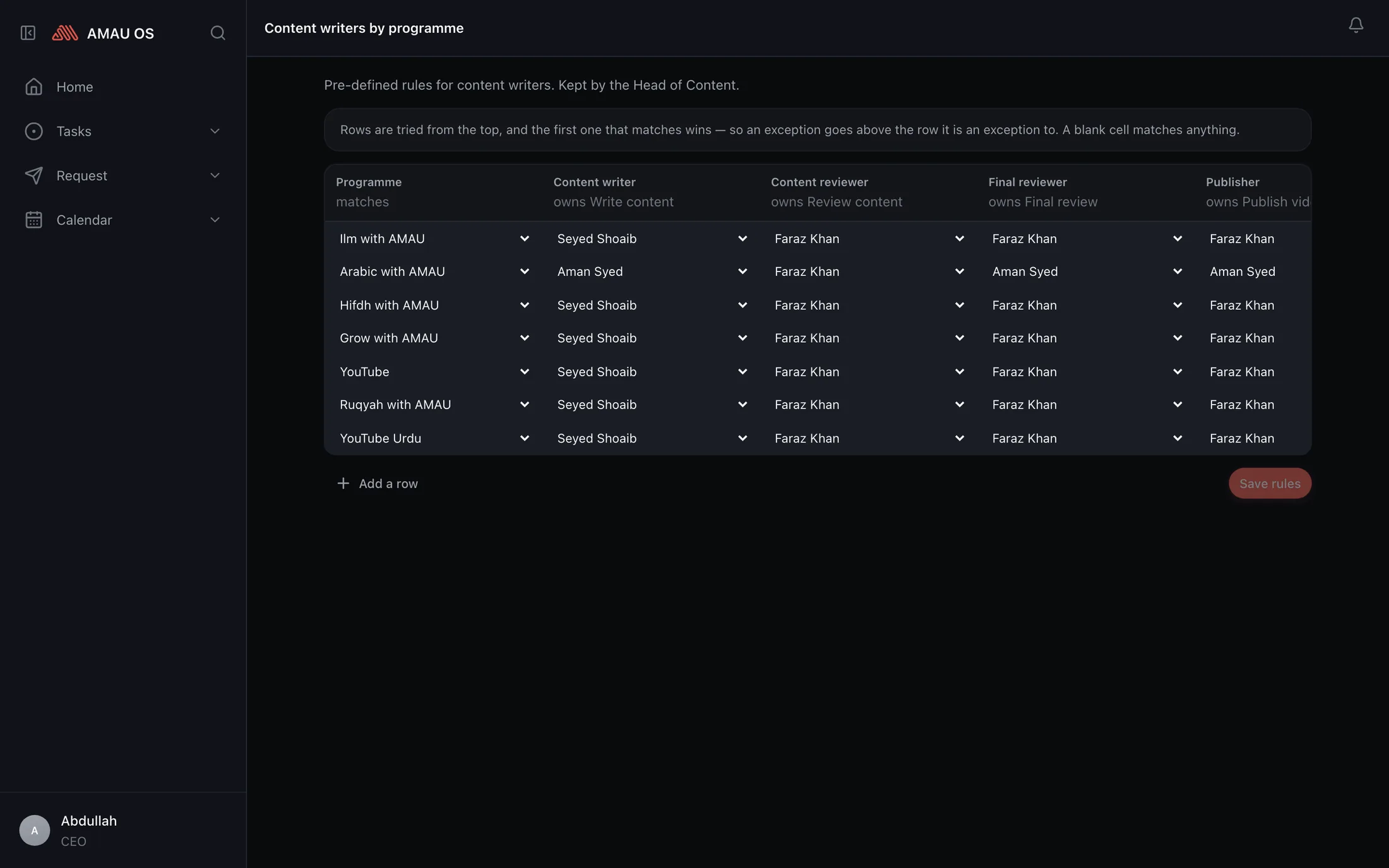
The right person, every time — automatically.
Decide once who looks after each programme, and every new piece of work goes straight to them. Heads of department spend less time handing out work and more time leading their team.
- New work arrives with the right person from day one.
- Special cases are easy to handle.
- Each head looks after their own team’s setup.
- Update it in seconds when the team changes.
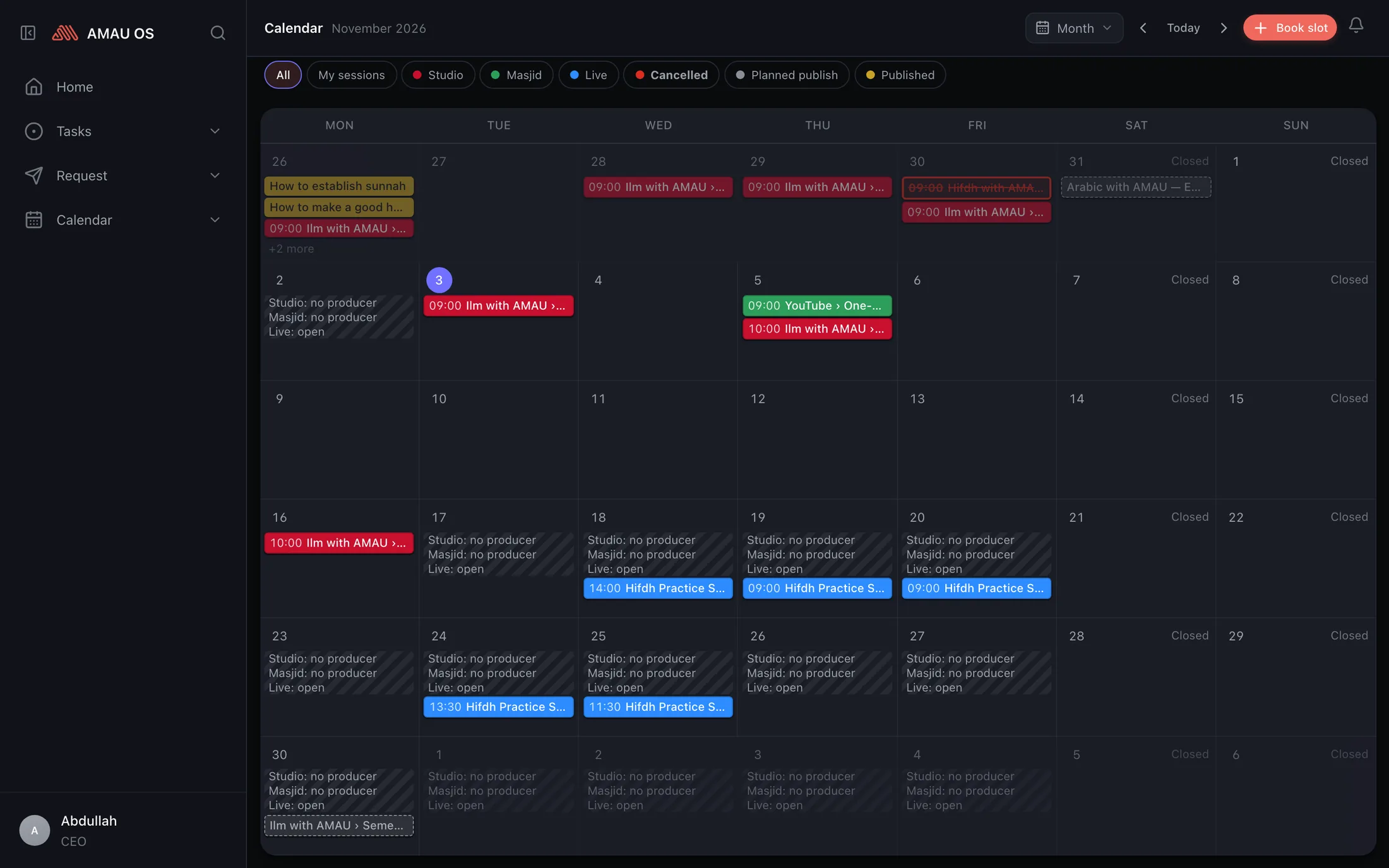
Calendar
Every room, every session, one calendar.
The studio, the masjid and every live session together, colour-coded so you can read the whole month in seconds. Plan ahead with confidence: the room is yours the moment you plan.
- No double bookings, ever.
- Book a session in a couple of clicks.
- Only see producers who are actually free.
- Focus on just the sessions that matter to you.
Settings
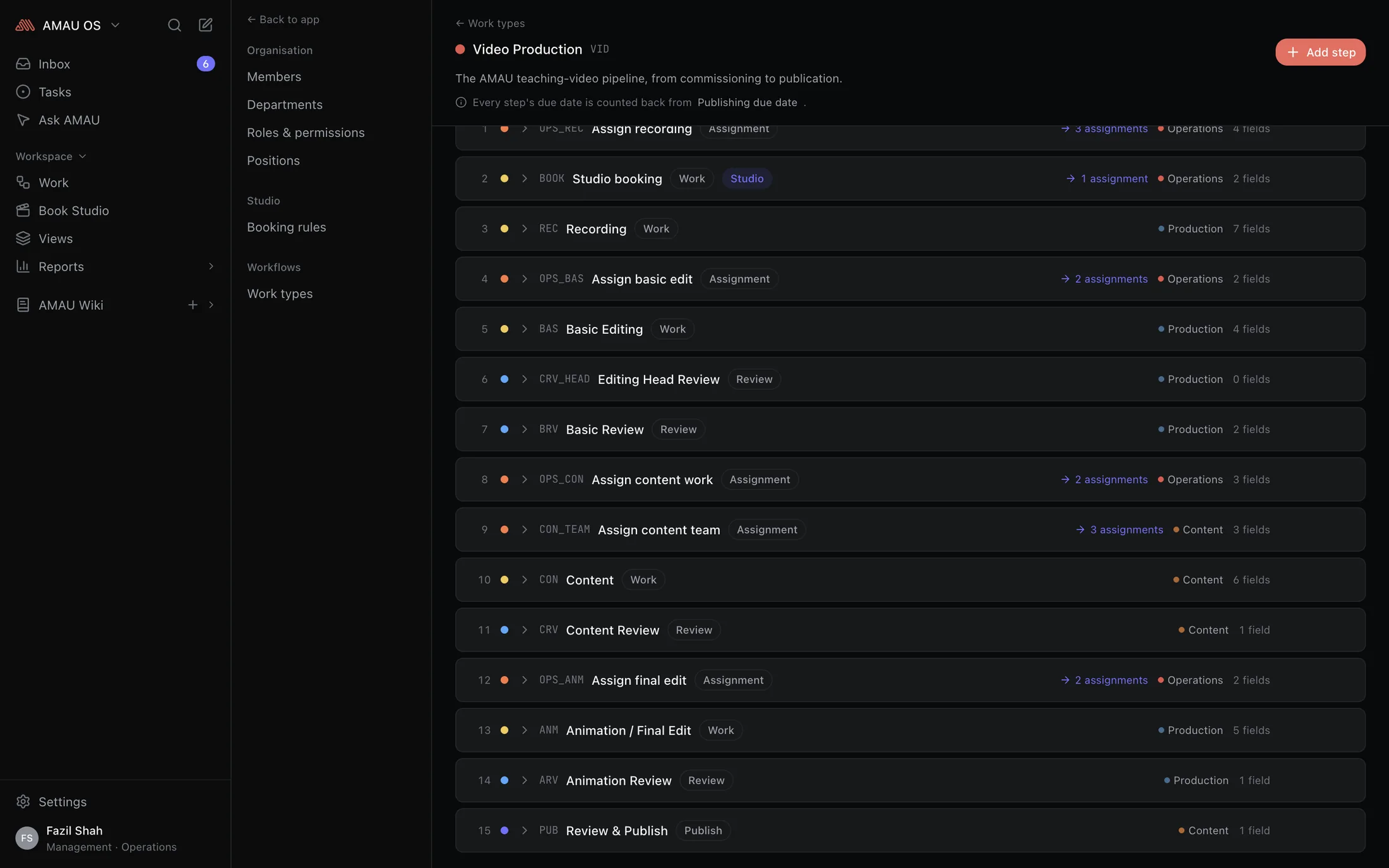
Grows with the academy.
A new kind of project? A new step in the process? Set it up yourself in minutes — no developer, no waiting, no disruption to work already underway.
- Shape every process around how your team really works.
- Improve a process without upsetting work in progress.
- Give every role exactly the access it needs.
- Keep everyone consistent with shared lists and booking rules.
Nobody should have to ask where the work is, who has it now, or whether it is late.
Light & dark
Works the way you do — light or dark.
Easy on the eyes, morning or night. Both themes are designed with the same care, so everything stays clear whichever you prefer. Go on, try it — this switch is the real one.
The rest of it
The small things you notice in week two.
Your day, waiting for you
Open the app to today’s priorities, the next prayer time and a verse to start your day.
Fast to get around
Press ⌘K to jump anywhere. Keyboard lovers can work all day without touching the mouse.
Private by design
Everyone sees what is theirs to see — no more, no less.
Keep people in the loop
Mention a colleague and they will follow along automatically.
Notes and files in one place
Attach documents, images and notes right where the work happens.
Always up to date
Changes appear for everyone instantly. No refreshing, no out-of-date lists.
Notifications that help
A gentle nudge on your phone when something needs you — and quiet when it does not.
Your ideas count
Spotted a problem or have an idea? Tell us in a tap, from any screen.
iOS & Android
Install it like an app. Because it is one.
No app store and no waiting. Add AMAU OS to your phone in about ten seconds, and get a gentle nudge the moment something needs you.
iPhone & iPad
- 1Open AMAU OS in Safari and sign in.
- 2Tap the Share button in the toolbar.
- 3Choose Add to Home Screen, then Add.
- 4Launch it from the Home Screen — no address bar, no tab.
Android
- 1Open AMAU OS in Chrome and sign in.
- 2Tap the ⋮ menu, then Install app.
- 3Confirm — it lands in your app drawer like any other.
- 4Allow notifications when it asks.
- On iPhone, notifications work only once it is on the Home Screen — that is Safari's rule, and it needs iOS 16.4 or later.
- What you have already opened keeps working on a dropped connection, and an update arrives the next time you launch it.
Pick up where the work is.
Your day, your team and your work — all waiting for you in one place.
Invite-only. An administrator sets your password.